
Why store manga on a NAS
As your collection grows, phone or iPad storage fills up fast: a complete series can take anywhere from a few to well over ten gigabytes, competing with photos and messaging apps. A big reason to own a NAS is to free those files from a single device so the iPad, iPhone, computer, and TV can all reach the same library.
For reading manga specifically, there are three main reasons to consider a NAS:
Device space is saved through the caching strategy. Once connected, the reader fetches the current page instead of downloading the whole archive to your device, so your device only accumulates cache of what you've read. Frequently read titles take up cache space (which you can clear over time); when you travel often and only want a few books offline, download those to the device. Network speed and protocol efficiency set the ceiling on this experience.
Progress follows your usage pattern. Start reading on the iPad and pick up on the iPhone, as long as the reader itself syncs progress across devices (under the same account; see the app's documentation). Family members sharing one library don't each need their own copy of the files.
The files are in your hands. Cloud drives can purge resources due to policy changes or account issues, while files on a NAS are under your control. Note that RAID is not a backup: it can survive a single failed drive, but it will not prevent accidental deletion, ransomware, or data being overwritten. Keep a separate, scheduled backup of important collections.
If you are still deciding whether to buy a NAS, start with why store manga on a NAS and what is a NAS, a beginner's guide. For hardware and system choices, see how to choose a NAS system.
SMB and WebDAV: pick the right protocol first
NAS readers mainly use two protocols, and the choice is simple:
- SMB: on by default on almost every NAS, the least setup, and usually faster on a LAN. If you only read at home and want minimal fuss, start with it.
- WebDAV: HTTP-based, a bit more setup (enable the service, note the port), and better suited to reaching a home NAS from outside once a secure tunnel is in place.
Both protocols need roughly the same information up front: the NAS IP or hostname, the shared-folder path, and the account and password. Setup differs a lot across brands. For Synology, ZSpace, FN OS, UGREEN, and QNAP, see the iPad + NAS manga reading tutorial; it is written from the iPad's point of view, but the principles are the same on any Apple device.
On-demand reading has conditions, so know the format. A reader that supports on-demand reading will not download and unzip the whole archive. It opens the directory and fetches only the content near the current page, so a several-hundred-GB library can be read as you go. But this makes demands on the format: ZIP/CBZ archives can fetch just the bytes you need, EPUB/PDF have their own per-page approaches, while MOBI cannot do this — it must be downloaded locally before it can be read (an earlier article covers this specifically). For the exact limits and mechanics, see how to read hundreds of GB of manga from a NAS directly. Real-world smoothness also depends on the network, the protocol, and the compression method, so not every file will "open and read instantly."
Connect the NAS to the reader
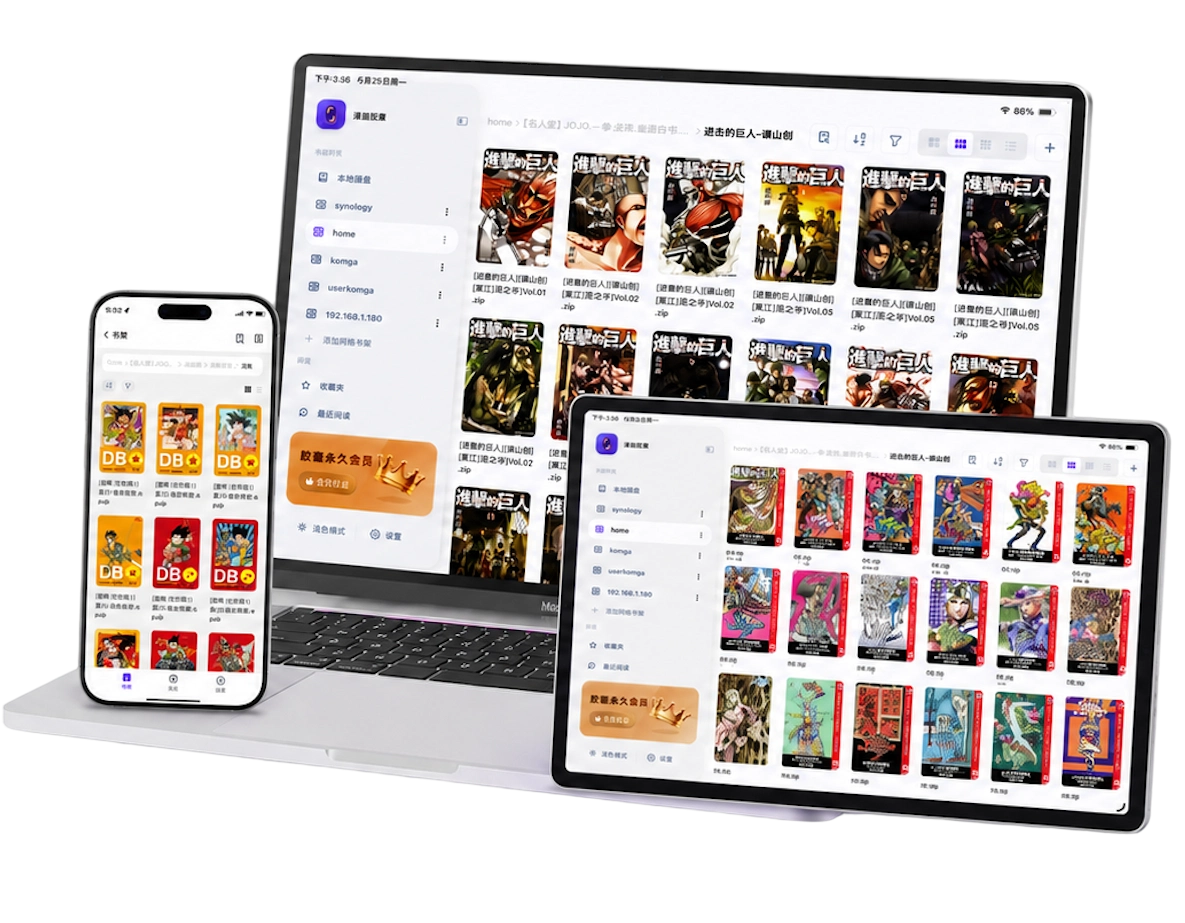
Using Manga Capsule as an example, connecting a NAS bookshelf takes three steps:
- On the bookshelf page, tap "+" → "Add network bookshelf".
- Choose SMB or WebDAV and enter the NAS address, shared folder, and account.
- Select the manga root directory; the folder structure maps directly to a bookshelf, and covers are generated from the file contents.
After that, opening a comic reads on demand: it loads the content around the current page first and prefetches a few pages as you flip, without waiting for the whole file. Cache, network speed, and the file's compression decide the actual experience; formats like MOBI still need to be downloaded first. A single bookshelf can hold several sources at once — NAS, cloud drives, and local storage coexist without conflict.
Organizing by series folder is the easiest structure. If your manga already lives on 123 Cloud Drive, Aliyun Drive, or Baidu Netdisk, you can mount the cloud drive and read directly in the same reader instead of moving anything now.
Do you also need a server like Komga?
Running Komga on the NAS adds a layer of metadata and series management on top of your folders, but it is not required:
- If your folders are already organized by series: a direct SMB/WebDAV mount is simpler — a shorter pipeline, and newly added files usually show up immediately.
- If you rely on series grouping, cover scraping, or multi-user reading: Komga's OPDS service has advantages, and suits readers who maintain their metadata carefully.
Both paths can coexist in the same bookshelf; they don't conflict. For the full comparison of Komga connection and "direct folder mount vs OPDS," see does Komga have an iOS client. To learn what else you can pair with a NAS beyond it, read the Chinese original of The Ultimate NAS Manga Setup.
Frequently asked questions
Do I have to be on the same Wi-Fi network as the NAS to read?
Initial setup is best done on the same LAN so you can confirm the address and permissions. After setup, for access from outside your network, prefer secure options like a VPN or mesh tools such as Tailscale/ZeroTier. If you must do port forwarding, pair it with authentication and keep exposure minimal; don't expose an unprotected shared folder directly to the public internet.
Do all my manga have to live on the NAS?
No. A NAS suits a large main library; people who often read offline or have only a few books may prefer keeping them on the device and iCloud. You can also mix: the NAS holds the archive, and the few titles you read often download to the device.
Why do some NAS books still wait before opening?
On-demand reading only works when the format supports it: ZIP/CBZ can fetch just the byte range you need, EPUB/PDF have established per-page approaches, but MOBI does not support remote on-demand reading and must be downloaded first. Archive structure, encryption, and network latency can also slow down opening. Unusual compression, encrypted files, or damaged files still depend on the specific file.
Is this page for people looking for online manga?
This page is about reading manga files you already own. Manga Capsule does not provide online manga content; use files and services you are entitled to read. When you're done here and want a bigger screen, see the complete iPad manga reader guide.