
What are CBZ and CBR
In one sentence: a CBZ is usually a ZIP archive with the extension changed; a CBR is usually a RAR archive with the extension changed, holding comic images named in page order.
That extension change isn't a trick; it tells a reader to treat the archive as a comic — render pages in order, generate covers from content, and remember reading progress. How far that goes depends on the reader's implementation. So:
- Renaming
.cbzback to.zipstill lets you extract the images, but generic unzip tools only list the images as ordinary files, with none of the paging, direction, or progress features that make them readable as comics; - iOS's built-in "Books" mainly recognizes EPUB and PDF, and "Files" can unzip ZIP but does not treat CBZ as comics or offer continuous paging.
For a detailed comparison and support across iOS built-in apps, see iPhone/iPad can't open CBZ, CBR files? Comic format explained in one article.
Open them on iPhone and iPad
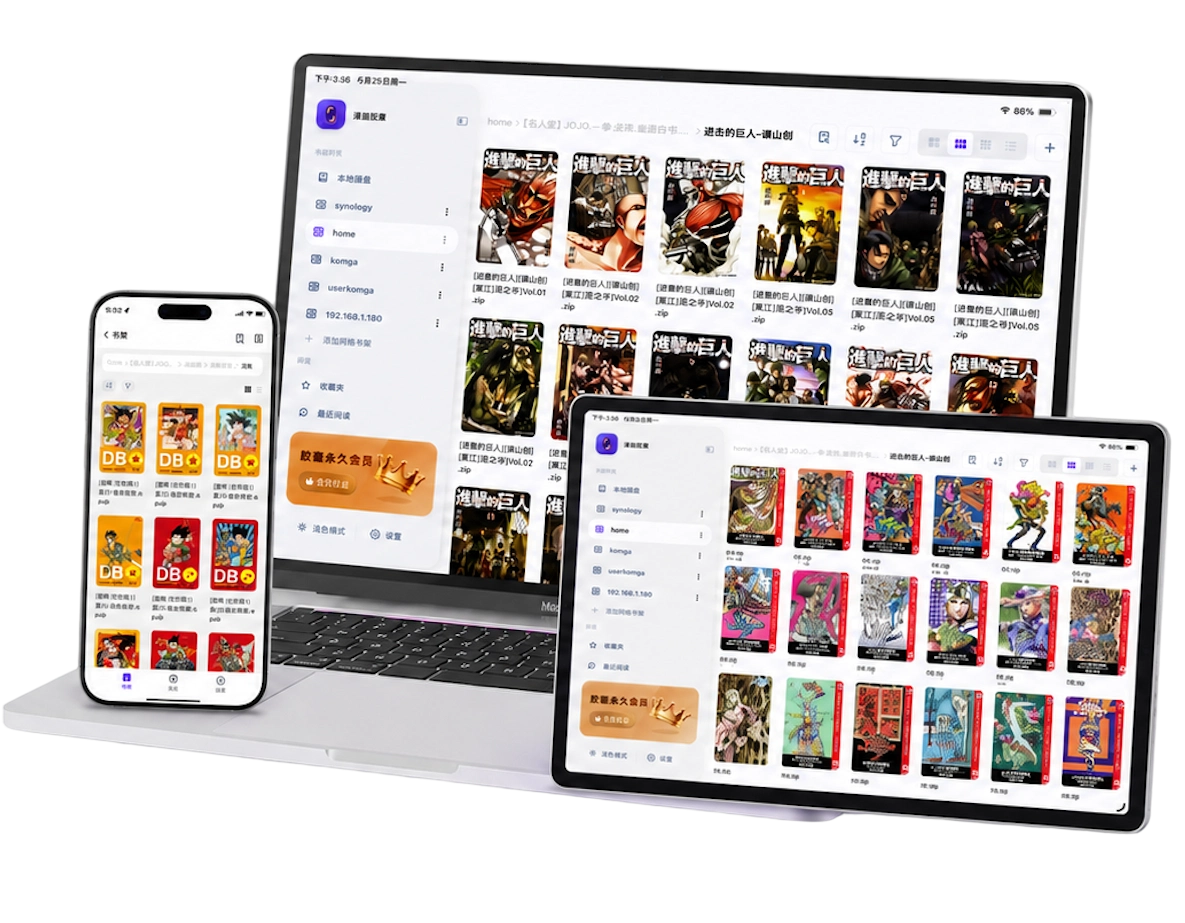
Opening CBZ/CBR needs a comic reader, not an unzipper. Using Manga Capsule as an example:
- Install Manga Capsule from the App Store.
- Import a file, any way you like:
- Received the file in WeChat/QQ/browser → Share sheet → Manga Capsule;
- Import from iCloud Drive via the "Files" app;
- Drag it in on a Mac via Finder, or use Wi-Fi transfer on the same network.
- Tap to read; covers, progress, direction, two-page view, and margin crop depend on the reader's implementation and are usually settable per book.
CBZ and CBR mostly read directly, without unzipping. For how they work alongside ZIP, RAR, 7Z, and other formats, see the local manga reader guide.
Won't open? Check these three first
When CBZ/CBR won't open, the cause is usually the file itself, not the reader:
- Incomplete file: confirm that what a cloud drive shared is the full file, not a shortcut; interrupted downloads can also corrupt it.
- Encrypted archive: most encrypted ZIPs can be decrypted now, but some encrypted RARs need to be decrypted separately first.
- Nested archive: an archive inside an archive, or content that is actually EPUB/PDF, needs one layer to be extracted first.
For the step-by-step fix, see common causes of file corruption; support for decrypting some encrypted ZIPs changes with versions, and the update notes are in Manga Capsule update: 123 Cloud Drive and eye-control page turning.
The archive reading experience is worth tuning too
Opening the file is only the pass mark; making an archive comfortable to read depends on reader settings:
- Reading direction: set per work — Japanese manga usually binds right-to-left, Western and Chinese page-manga left-to-right. Direction support also depends on the reader's implementation.
- Double-page scans: use double-page split to cut a spread into single pages and page through them in order; for iconic cross-page spreads, use merge next page to put the big image back together. See how to split scanned manga pages and merge double-page spreads.
- Crop white margins: auto-crop when images have wide borders for bigger art. See how to remove excess white borders from PDF comics (works on archive images too).
Frequently asked questions
What's the difference between CBZ and ZIP?
Same container underneath; CBZ is just the extension that tells a reader "comic." If you receive a .cbz, read it directly; if you only have .zip, many comic readers (like Manga Capsule) also recognize and open it as a comic.
Can CBR be opened directly on iPhone/iPad?
Whether it opens directly depends on the reader's RAR support. Manga Capsule reads CBR directly, and most files need no conversion to ZIP first; only password-protected, split-volume, or damaged RARs need extra handling.
Do I need to convert CBZ to PDF first?
Usually not. Converting to PDF takes time and can lose quality; if the reader itself reads CBZ/CBR as pages, reading directly is better.
Is this page for people looking for online manga?
This page is about reading manga files you already own. Manga Capsule does not provide online manga content; use files and services you are entitled to read. If you want a bigger screen, see the complete iPad manga reader guide.